
Installation Procedure

How to install:

a) You need to have java 1.7 or higher installed on your computer. It’s free and you can download the latest version here: http://www.java.com/

b) After downloading Pauk, unzip the file Pauk2.0.zip and move the content of the zip file on your desktop. (Zip Software)
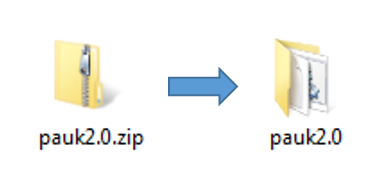
zip

c) Search for the file Start Pauk WIN.bat and double click it. Pauk will ask for registration. Click the Register Button to to get to the registration page or click the close button to use the 7 day trail version.
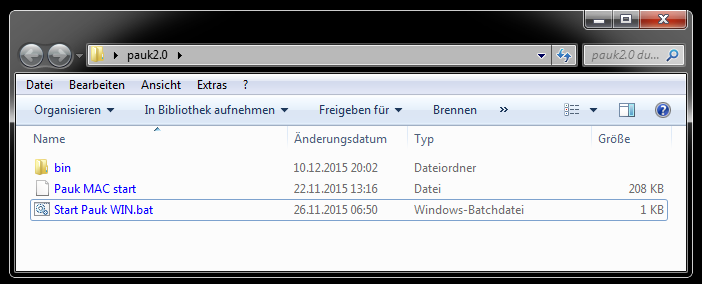
startbatt

d) Register & Buy the Licence via Paypal or Credit Card: Buy here

d) After payment the “activation key” will be sent to your eMail address.

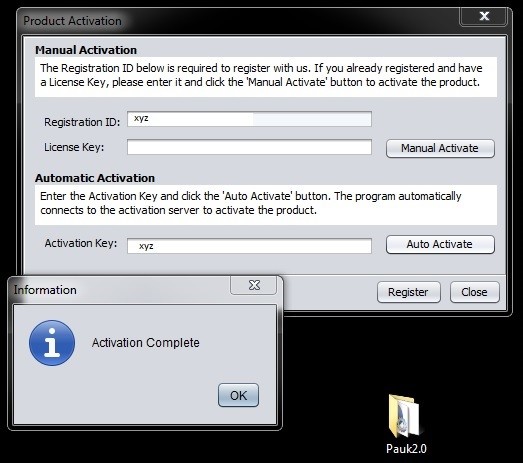
e) Enter the activation key in the “auto activate” field when you start Pauk. Pauk will be immediately activated.

After clicking Start Pauk Win.bat:

Copy/paste the Activation Key from your purchasing confirmation email in the Activation Key field and press “Auto Activate”.
Want to test the limits of your capabilities in school and university? Pauk ensures you are prepared in the best possible way.

Your chance to become a better student is now!

DOWNLOAD
PaukInstallation Procedure

Installationsanleitung:

a) Pauk benötigt Java Version 1.7 installiert auf deinem Computer. Java ist gratis und kann hier runtergeladen werden: http://www.java.com/

b) Nachem du Pauk runtergeladen (Zip Datei) und Java installiert hast, entpacke die Zip Datei Pauk2.0.zip , und kopiere dessen inhalt auf deinen Desktop. (Zip Software zum entpacken von Zip Dateien)

zip

c) Suche im Ordner Pauk2.0 nach dem file Pauk WIN.bat und starte es. Pauk wird dich nach dem Aktivierungscode fragen. Hast Du diesen noch nicht, klicke auf “close”, um die 7 Tage Test Vesion zu nutzen.

startbatt

d) Den Aktivierungsschlüssel kannst Du jederzeit hier kaufen. Damit kannst Du Pauk auch nach dem Ablauf der 7 Testtage benutzen.

d) Nach der Zahlung wird dir der Aktivierungsschlüssel sofort an deine eMail Addresse gesendet

e) Gib den Aktivierungsschlüssel aus deiner eMail in das Feld “auto activate” ein. das beim Starten von Pauk erscheint. Damit aktivierst du Pauk permanent.

Starte Pauk Win.bat:

Füge den Aktivierungsschlüssel aus deiner Bestätigungsemail in das Feld “Activation Key” ein und bestätige mit “Auto Activate”.

Want to test the limits of your capabilities in school and university? Pauk ensures you are prepared in the best possible way.

Your chance to become a better student is now!

DOWNLOAD
PaukWie installiere ich Pauk